
For macOS
Quwire.
Play your Mac’s sound on every speaker and headphone at once.
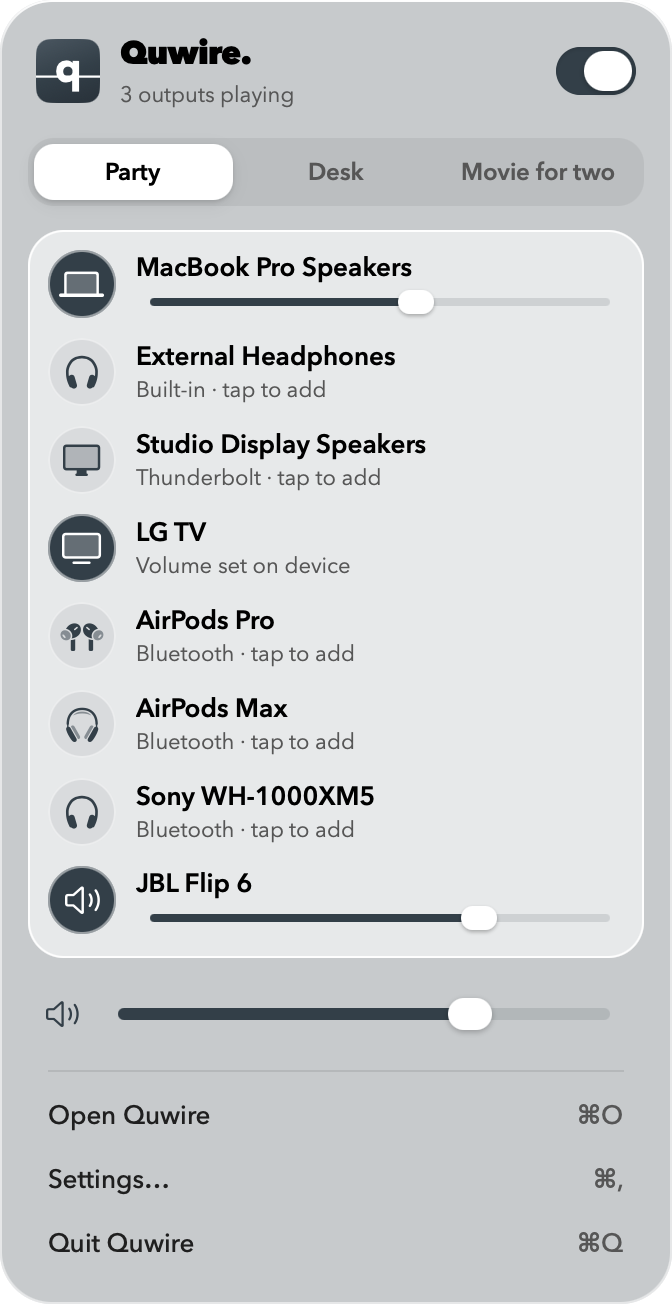
Pick your outputs in the menu bar and turn Quwire on: every app plays through all of them together. Turn it off, and your sound goes back to how it was.
Coming to the Mac App Store
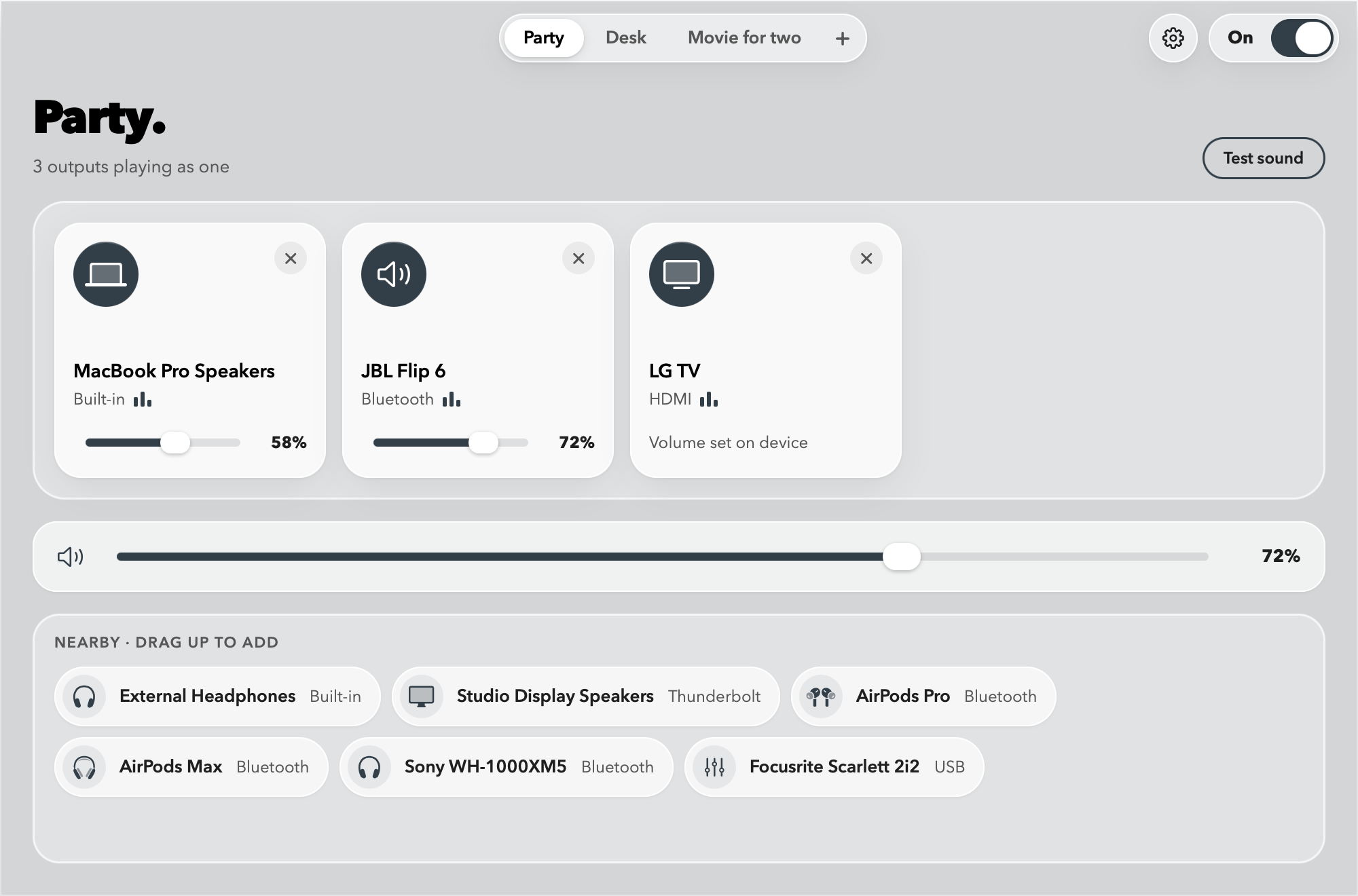
The Quwire window
Build a mix. Play it everywhere.
Drag outputs into the mix, give each one its own volume, and keep a mix for every setup: the desk, the party, a movie for two.
Features
Everything you own, playing as one.
-
Many outputs at once.
Your Mac’s speakers, a pair of headphones, a Bluetooth speaker and your display all play the same sound, together.
-
Works with what you have.
Works with AirPods and any Bluetooth, USB, HDMI or built-in output, at any sample rate.
-
Your sound comes back.
Turn Quwire off or quit it, and your Mac returns to the output, input and volumes it had before.
-
Lives in the menu bar.
Switch mixes in one click, or turn Quwire on and off from any app with Option-Command-T.
How it works
Three steps. Then press play.
-
Connect your outputs.
Pair your headphones and plug in your speakers the way you always do.
-
Pick them in the menu bar.
Click Quwire’s q in the menu bar, then click each output you want in the mix.
-
Turn Quwire on.
Every app now plays on all of them. Turn it off, and your Mac goes back to the output it used before.
Try Quwire in the beta.
Quwire is in beta on TestFlight. Ask for an invite, and tell me how it sounds.
Join the betamacOS 15 or later · Apple silicon and Intel